Getting started
What Ant0 is
Section titled “What Ant0 is”Ant0 runs many separate browsers from one list. Each profile is a separate browser with its own identity, cookies and connection, so your accounts stay apart. Start a profile to open its window. Stop it when you are done.
1. Create your account
Section titled “1. Create your account”Create a free account with an email address and a password, then enter the six-digit code we email you. No payment is needed. See Accounts and plans for what Free includes.
2. Install
Section titled “2. Install”Windows 10 or 11 (64-bit). Open PowerShell and run:
irm https://ant0.link/install.ps1 | iexIt downloads the latest Ant0, checks it against our published checksums, then runs the installer.
Ubuntu 24.04 or Debian 13 or newer (64-bit). Run:
curl -fsSL https://ant0.link/install.sh | bashIt downloads the .deb, checks it, then asks for your password to install it. Then start Ant0 from your applications menu.
Or download the installer from the download page:
-
Windows. Run
Ant0_<version>_x64-setup.exe. It installs for your user and needs no administrator rights. Windows may show a SmartScreen notice because the installer is not yet code-signed. Check the file, then choose More info → Run anyway. -
Ubuntu. Install the package:
Terminal window sudo apt install ./Ant0_<version>_amd64.deb
3. First run
Section titled “3. First run”Choose Sign in with browser and approve the sign-in on ant0.link. Ant0 then shows a short setup with three steps: Browser, Proxy and Profile. Use Continue and Back to move, or Skip on a step you do not need.
- Install browser. Nothing starts without it. You can continue while it keeps downloading.
- Add a proxy (optional, but recommended). Paste the line from your provider, for example
user:pass@host:portorhttp://user:pass@host:port. Ant0 checks it and shows its country. Without a proxy, all profiles share your computer’s internet address, so websites can link them. - Create your first profile. Give it a name. The rest has sensible defaults.
Leave Add a sample profile on if you want an example in the list. You can delete it.
4. Start a profile
Section titled “4. Start a profile”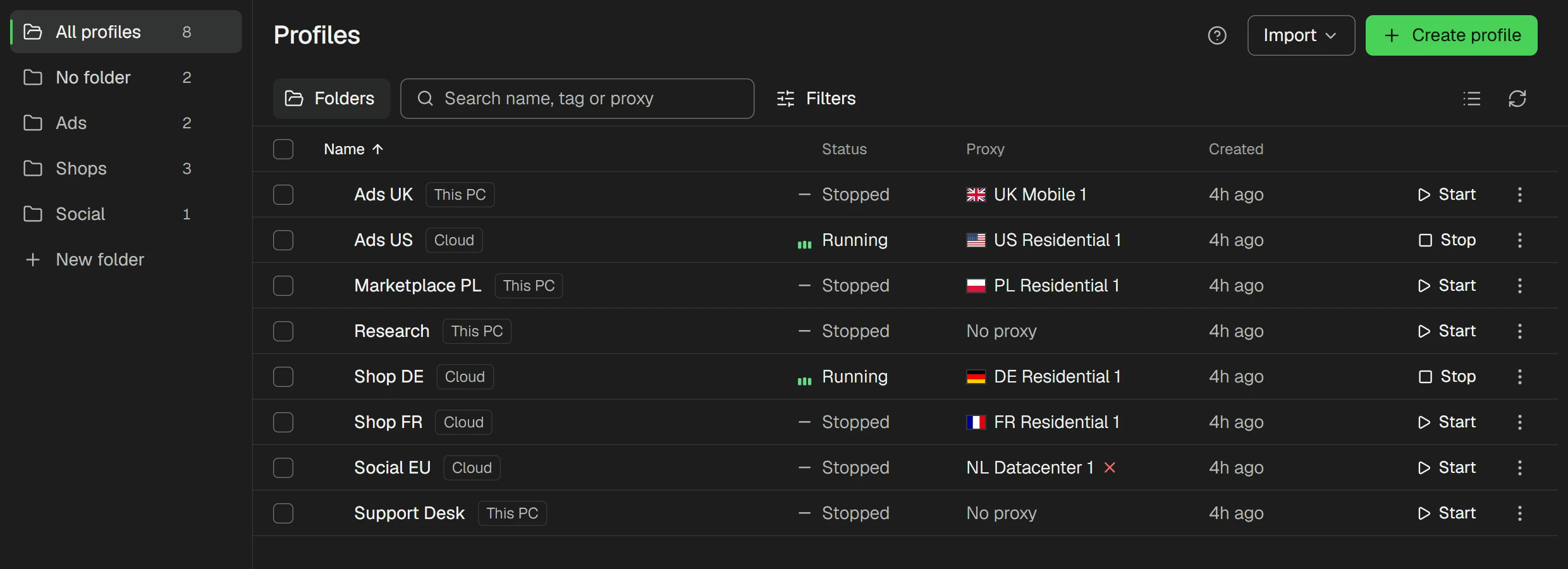
Press Start on a row. A browser window opens after a few seconds and the row shows Running. Sign in to the account that belongs to this profile and work as usual. When you are done, press Stop or close the window. Cookies and logins stay with the profile.
You can run several profiles at once. Each has its own window and connection.
5. Cloud or This PC
Section titled “5. Cloud or This PC”A profile is either Cloud or This PC. A Cloud profile is kept as an encrypted copy in your workspace, so you can open it on your other computers. A This PC profile stays on this computer. Sync is part of paid plans. See Sync.
6. Keep the list in order
Section titled “6. Keep the list in order”- Folders hold profiles by client, shop or task. A profile is in one folder.
- Tags cross folders (
eu,vip,warmup). Filter by tag in Filters. - Notes show in the table. Select a note, or Add note, to edit it. Ctrl+Enter saves.
- Pin keeps profiles in the Pinned view.
- The ⋮ menu on each row has Start/Stop, Edit, Cookies, Tags, Duplicate, Move to folder, Pin/Unpin, Details and Move to trash. Right-click does the same.
Profiles you move to trash stay in Trash for 30 days. Restore brings one back with all its data.
To see where Ant0 keeps its data, or move it to another drive, open Settings → Data and choose Open folder.
- Profiles: the table, bulk actions and the editor.
- Proxies: formats, checks and changing the IP.
- Import from another tool: AdsPower, Multilogin, GoLogin, CSV.
- Command line and local API for automation.
© 2026 Ant0